On this page
Why This Exists
I moved my infrastructure to a Hetzner VPS earlier this year. PostgreSQL, Docker containers, Caddy, fail2ban, the usual stack. It runs a handful of apps for personal and client projects and it’s been solid. The problem is that a VPS doesn’t take care of itself. Updates pile up. Logs grow. Backups need verifying. Certificates expire. None of it is hard, but all of it is tedious, and I’m bad at remembering to do it consistently.
I’m on Claude Max, which means I have a subscription I’m paying for whether I use it or not. So the math was simple. I already have the tooling budget. I already know what the maintenance checklist looks like. Why not hand it to an agent and let it run on a cron schedule? That’s what I did, and it’s been running twice daily for about a month now.
What It Actually Is
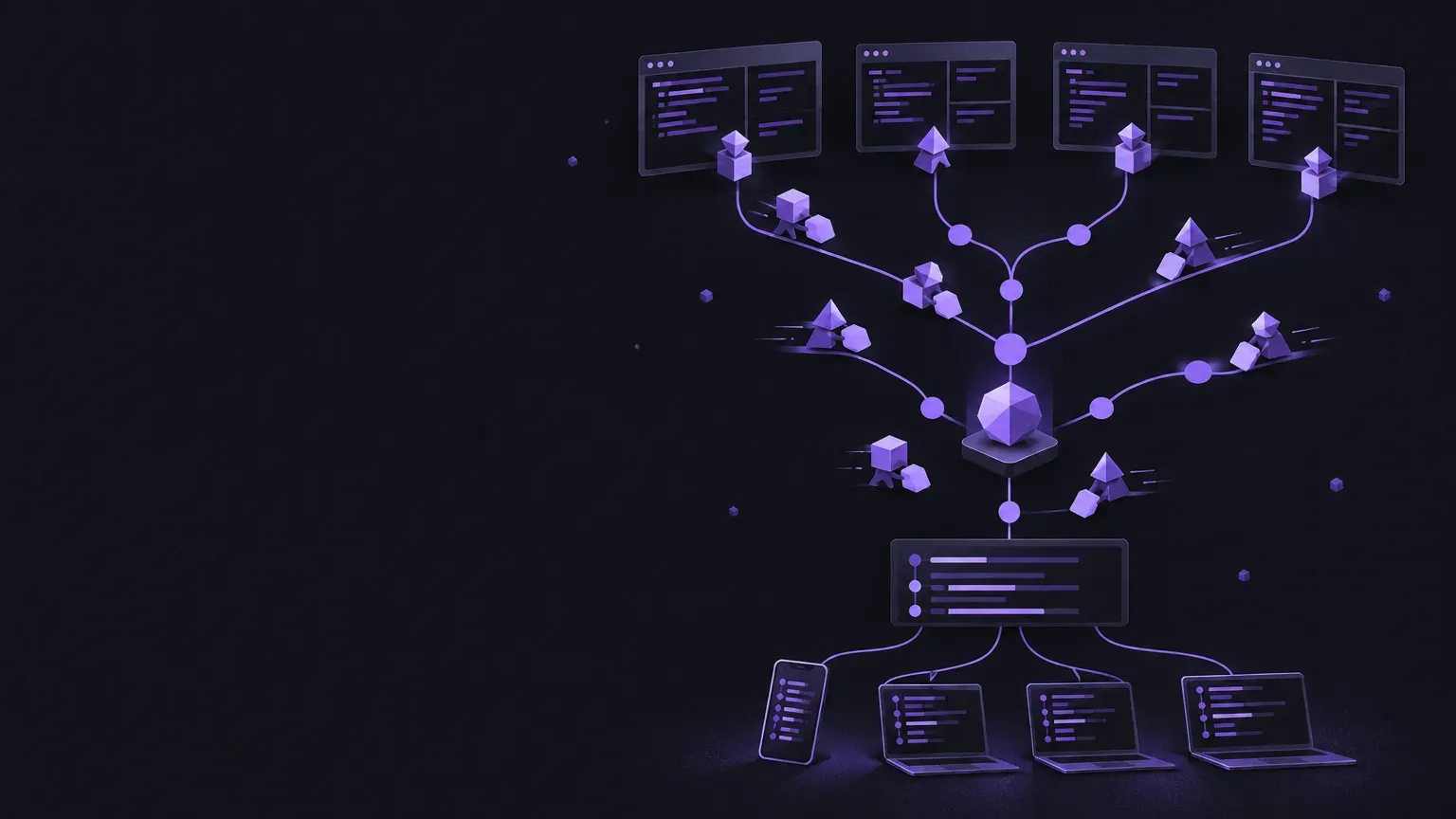
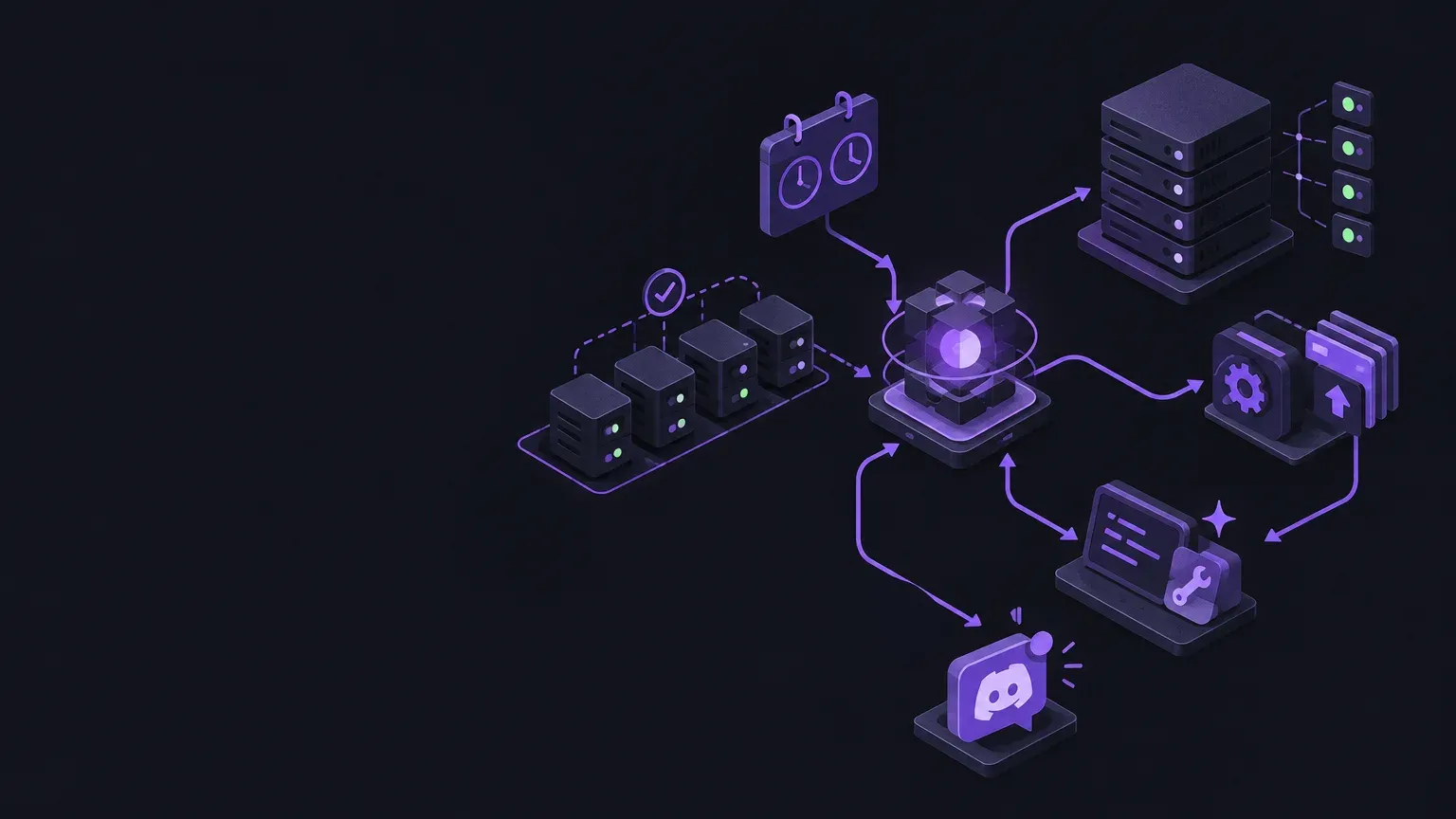
The system has two main components and a review process. The first component is an MCP server, a TypeScript Model Context Protocol server that exposes 34 typed tools for VPS operations over SSH. The second is the agent itself, a Claude Agent SDK app that spawns Claude Sonnet as a subprocess with the MCP server attached. The review process is a separate Claude session that checks in after each run, reviews any branches the agent pushed, and merges clean ones after build and test verification.
The MCP server is the boundary. It defines everything the agent is allowed to do. Container names are TypeScript enums. Databases are allowlisted. Services that can be restarted are restricted to a safe set of three: PostgreSQL, Caddy, and fail2ban. The agent literally cannot interact with a container or database that isn’t in the code. Within that boundary, it has full autonomy. Outside of it, it can’t do anything.
The MCP Server
The MCP server lives in its own repo and covers seven categories of operations: health monitoring, Docker management, PostgreSQL database operations, Caddy reverse proxy, security (fail2ban and firewall), system utilities (disk, memory, processes, journal, networking), and DNS via the Cloudflare API. There’s also SSL certificate checking with expiry calculations and a 14 day warning threshold.
Every tool is constrained. The vps_docker_logs tool takes a container name from a typed enum, not a freeform string. The vps_pg_query tool only accepts SELECT, WITH, and EXPLAIN statements against allowlisted databases, with a 2000 character query limit. The vps_service_restart tool can only restart three specific services. This is the part that makes the whole thing not reckless. The agent can do a lot, but it can only do things that have been deliberately pre-approved in TypeScript.
const ALLOWED_CONTAINERS = [
  "notesx-server",
  "uptime-kuma",
  "corporate-bs-bot",
  "t0va-mailer",
  "thebombrepairs-api",
  "docker-frontend-1",
  "docker-backend-1",
  "docker-postgres-1",
] as const;
// services safe to restart without a reboot
const RESTARTABLE_SERVICES = ["postgresql", "caddy", "fail2ban"] as const;The tool definitions use Zod schemas, so the constraints are enforced at the protocol level. The agent doesn’t see a text field with instructions saying “only use these containers.” It sees an enum. There’s no way to pass an invalid value.
The Agent
The agent itself is about 110 lines of TypeScript. It uses the Claude Agent SDK’s query function to spawn a Claude Code subprocess with the MCP server attached, a system prompt describing the daily checklist, and a set of allowed tools. It runs with permissionMode: "bypassPermissions" because it’s unattended, and gets 75 turns to complete everything.
for await (const message of query({
  prompt: "Run the daily health check.",
  options: {
    model: "claude-sonnet-4-6",
    allowedTools: [
      "mcp__vps__*",
      "Bash", "Read", "Write", "Edit", "Glob", "Grep",
    ],
    permissionMode: "bypassPermissions",
    maxTurns: 75,
    mcpServers: {
      vps: {
        command: NODE_BIN,
        args: [MCP_SERVER_PATH],
      },
    },
  },
}))
No API key. The Agent SDK uses Claude Code’s own OAuth credentials, which means it piggybacks on my existing Claude Max subscription. The agent runs from a cron job twice daily, at 8am and 8pm Central. Every run sends a color coded Discord embed (green, yellow, or red) summarizing system status, actions taken, and recommendations. Even when everything is fine, it sends a green report. That’s the heartbeat. If the Discord channel goes quiet, something is wrong with the agent itself.
The nvm Gotcha
This took a week to figure out. Node installed via nvm is invisible to cron’s minimal PATH. The agent silently failed to run because cron couldn’t find node. The fix is using the full nvm managed node path in the crontab entry: /home/shockbirds/.nvm/versions/node/v22.21.0/bin/node. Not glamorous, but it’s the kind of thing that wastes real time if you don’t know to look for it.
The Daily Checklist
The system prompt defines a 10 step checklist that the agent works through in order. It starts with a full health check, verifies all expected services and containers are running, analyzes resource usage with thresholds for disk and memory, validates that the most recent PostgreSQL backup is less than 25 hours old, reviews fail2ban stats, installs any pending OS updates, trims the journal if it’s over 200MB, restarts any unhealthy containers, reviews and potentially improves the MCP server source code, and then sends the Discord report.
Most of those steps are straightforward. The agent calls the appropriate MCP tool, reads the output, makes a decision, and moves on. The interesting one is step 9.
The Self Improvement Loop
Step 9 tells the agent to review its own MCP server source code with a critical eye. But the prompt is very specific about what “improvement” means, and the priority ordering matters a lot.
The highest priority is fixing real bugs that the agent actually observed during today’s run. If a tool returned bad output or crashed, fix the root cause. Second priority is missing test coverage. Writing tests for existing tools is more valuable than adding new tools. Third is refactoring for clarity or DRY violations. Fourth is removal or consolidation, merging overlapping tools or removing unused ones. New tools are dead last, and only justified if the agent hit a concrete gap during today’s checklist. “It might be useful someday” is explicitly forbidden.
The prompt also says “doing nothing is a valid and often correct outcome.” That line matters more than it looks. Without it, the agent will find something to change every single run because that’s what you get when you tell an LLM to look for improvements. With it, the agent regularly reports that the MCP server is in good shape and moves on. That’s the correct behavior most of the time.
Prompt Steering in Practice
When I first wrote step 9, the priority ordering was less explicit. The agent’s default behavior was to add new tools almost every run. The tool count crept up. After I rewrote the priorities to explicitly rank removal and refactoring above new tools, the agent’s very next run produced a rename refactor instead of a new tool. It renamed sortFlag to sortKey in vps_processes because the old name was misleading. The variable pretended to hold a CLI flag like -pcpu but was immediately .slice(1)’d to strip the dash. Tool count stayed at 34 instead of ticking up. The prompt change directly changed the behavior.
The agent never merges to main. Every code change goes on a feature branch with a clear commit message explaining why. The check in routine, or me, reviews and merges after verifying the build and tests pass.
What the Agent Has Actually Done
Over the first month, the agent has made a handful of genuine improvements to the MCP server. None of them are dramatic. All of them are the kind of thing that would sit on a TODO list for weeks if a human had to do them.
It fixed its own bug. The VPS health report script used bash string interpolation to build JSON, which broke on special characters in docker status output. The agent traced a JSON.parse crash back to unescaped characters, rewrote the affected fields to use jq -R . for safe encoding, added a try/catch with a 300 character output preview to the sshJson helper, deployed the fix to the live VPS, and confirmed it produced valid JSON. All in one run.
It added tools it actually needed during health checks. vps_docker_prune for reclaiming disk space. vps_inode_usage because inodes can exhaust before disk bytes, which is a subtle failure mode that df -h doesn’t show. vps_ssl_check for TLS certificate expiry with a days remaining calculation and 14 day warning.
It improved existing tools. vps_docker_restart went from fire and forget to a 3 second settle plus docker compose ps health verification. vps_docker_logs and vps_journal_vacuum both had stderr capture issues where output was silently dropped. vps_docker_pull had its timeout bumped from 60 seconds to 300 because large image pulls were timing out.
It also expanded allowlists after discovering databases on the VPS that weren’t in the original list. And it performed actual maintenance: applied apt upgrades including held back packages, managed journal vacuuming, restarted containers that had gone unhealthy.
The Guardrails
The safety model is layered and none of the layers are individually sufficient, but together they work.
The first layer is the typed tool allowlists. Container names, databases, and restartable services are TypeScript enums enforced by Zod schemas at the MCP protocol level. The agent can’t interact with something that isn’t in the code. This is the hard boundary.
The second layer is branch only commits. The agent never merges to main. Every code change lives on a feature branch that gets reviewed before merging. The check in routine runs the build and the full test suite before merging anything.
The third layer is the test suite itself. There’s a registration test that maintains an EXPECTED_TOOLS array with all 34 tool names and a toHaveLength(34) assertion. When the agent adds a tool and forgets to update the test, the build fails and the branch doesn’t get merged. This has actually happened. The agent is good at adding tools but occasionally forgets to update this test, which is exactly why the test exists.
const EXPECTED_TOOLS = [
  "vps_health", "vps_service_status", "vps_docker_status", "vps_uptime",
  "vps_docker_logs", "vps_docker_restart", "vps_docker_pull", "vps_docker_stats",
  // ... 26 more tools
];

it("server starts and lists tools", async () => {
  tools = await getToolsList();
  expect(tools).toHaveLength(34);
});
The fourth layer is the prompt constraints. The agent is told never to reboot the VPS. It flags reboot required status in the Discord report instead. The self improvement step has a strict priority ordering that discourages speculative additions. The agent always sends a Discord notification, even on green runs, so silence means something is wrong.
None of this is bulletproof. The MCP allowlist is only as good as the tools you write. The branch review is only as good as the reviewer. The test suite catches structural issues but not logical bugs. But together, it’s enough that I’m comfortable letting it run unattended.
The Sharp Edges
A few things I ran into that are worth knowing if you’re building something similar.
Agent SDK env vars don’t propagate to the Bash tool. The options.env object you pass to the SDK doesn’t make it into Bash commands the agent runs. I needed the Discord webhook URL available in the agent’s curl commands, so the fix was injecting it directly into the system prompt via placeholder replacement. Not elegant, but it works.
const prompt = SYSTEM_PROMPT.replace(
  "DISCORD_WEBHOOK_URL_PLACEHOLDER",
  webhookUrl
);
jq --arg treats \n as literal characters. I spent time debugging Discord embeds that had literal \n instead of newlines. When you pass a value through jq --arg, escape sequences aren’t interpreted. The fix is using bash $'\n' to inject real newline characters before jq sees them.
Submodule workflow is finicky. The MCP server lives in a git submodule. Changes must be committed and pushed inside the submodule before the parent repo can bump its pointer. Submodule commits don’t transfer when you merge via worktree. This is just git being git, but it adds friction to the review and merge process.
The nvm and cron issue mentioned earlier. Node installed via nvm doesn’t exist in cron’s environment. This one took a week to diagnose because the agent just silently didn’t run. The cron log showed nothing useful. The fix is trivial once you know it, but the debugging path is not obvious.
The Gaps
This is not a production monitoring system. It’s a fun project for a hobby VPS that happens to do real work. Worth being honest about the gaps.
It doesn’t do real time alerting. If something breaks at 9am, I don’t find out until the 8pm run. For the workloads on this VPS, that’s fine. For anything with uptime requirements, it wouldn’t be. I run Uptime Kuma for actual real time monitoring. The agent handles the maintenance side that Uptime Kuma doesn’t cover.
The self improvement loop is bounded. The agent can tweak tools, fix bugs, add tests, and refactor code. It cannot redesign its own architecture, change its own prompt, or modify its own scheduling. Those are human decisions. The agent operates within the boundaries it’s given and can only make those boundaries slightly better from the inside.
There’s no automatic rollback. If the agent deploys a fix to the VPS that makes things worse, it doesn’t know how to undo it. The next run might detect the problem and try to fix it, or it might not. This hasn’t happened yet, but it’s a real gap. The mitigation right now is that the agent’s VPS changes are mostly limited to apt upgrades and journal trimming, neither of which need rollback.
The PR and review flow is entirely manual. The agent creates branches and pushes them, but it doesn’t open pull requests. I review the branches myself, run the build, and merge by hand. The “check in routine” I described earlier is a separate Claude session that helps with that review, but it’s not a fully automated pipeline. There’s no CI. It’s branches and manual merges.
The whole thing runs on my laptop. The cron job, the agent process, the Claude Code subprocess, all of it. If I close my laptop or it goes to sleep, the next scheduled run just doesn’t happen. There’s no server side scheduler, no cloud function, no always on compute. When I open the laptop back up, the next cron tick fires and it picks up where the schedule left off. For a hobby VPS running personal projects and a couple of small client sites, that’s fine. For anything resembling real infrastructure, you’d want this running somewhere persistent.
The Discord reporting works but it’s the weakest part of the system. Discord embeds have character limits that occasionally truncate long reports. The formatting is rigid. I’d like to move to something with more structure, maybe a simple web dashboard or even just structured log files that are easier to query than scrolling through a Discord channel.
Would I Recommend This
Honestly, this started as a way to use up my Claude Max subscription on something practical. I moved to a VPS, hated doing the maintenance manually, and figured an AI agent could handle the boring parts. That framing is important because it sets the right expectations. This is not a replacement for real monitoring infrastructure. It’s a replacement for me SSH’ing in every few days to check on things and forgetting half the checklist.
If you’re on Claude Max or have an existing API budget, the marginal cost of running this is near zero. The Agent SDK uses Claude Code’s auth, so there’s no separate API key to manage. The setup is a TypeScript MCP server, a small agent wrapper, and a cron job. The total codebase is maybe 1500 lines including tests. That’s a reasonable amount of code for what it does.
The pattern that generalizes is the constrained autonomy model. Give the agent a typed set of operations it can perform, let it run within those boundaries, and review its work before it hits main. The two agent architecture, one that does the work and one that reviews and merges, is something I’d use again. It’s like having a junior dev who ships branches and a senior who reviews and merges. Neither needs to be a human.
The part I’d caution about is the self improvement step. It’s the most interesting feature and also the most likely to cause problems if the prompt isn’t carefully tuned. Without explicit priority ordering and the “doing nothing is valid” escape hatch, the agent will ship changes every run whether they’re needed or not. That’s not self improvement, that’s churn. The prompt engineering around step 9 is probably the thing I’ve spent the most time iterating on, and it’s still not perfect.
After a month of daily runs, the system does what I built it to do. It checks on the VPS, handles the routine maintenance, occasionally makes a small improvement to its own tooling, and tells me about it on Discord. Most runs are green. The VPS stays healthy. I don’t have to think about it. That’s the whole point.
What I Learned
- Typed MCP tool allowlists are the real safety boundary, not the prompt. Enums enforced by Zod schemas at the protocol level are harder to circumvent than natural language instructions.
- Prompt priority ordering directly controls agent behavior. Rewriting step 9's priorities immediately changed the agent from 'add tools every run' to 'refactor or do nothing.'
- The Agent SDK uses Claude Code as a subprocess with your existing auth. No separate API key needed if you're on Claude Max.
- Branch only commits plus a test suite backstop is enough review surface for low stakes infrastructure changes.
- The two agent pattern (worker plus reviewer) generalizes well. One agent does work, another reviews and merges. Neither needs to be a human for routine operations.
- nvm plus cron equals silent failure. Use the full node path in your crontab if you install Node through nvm.